Web app, Inventory Grid ⸺
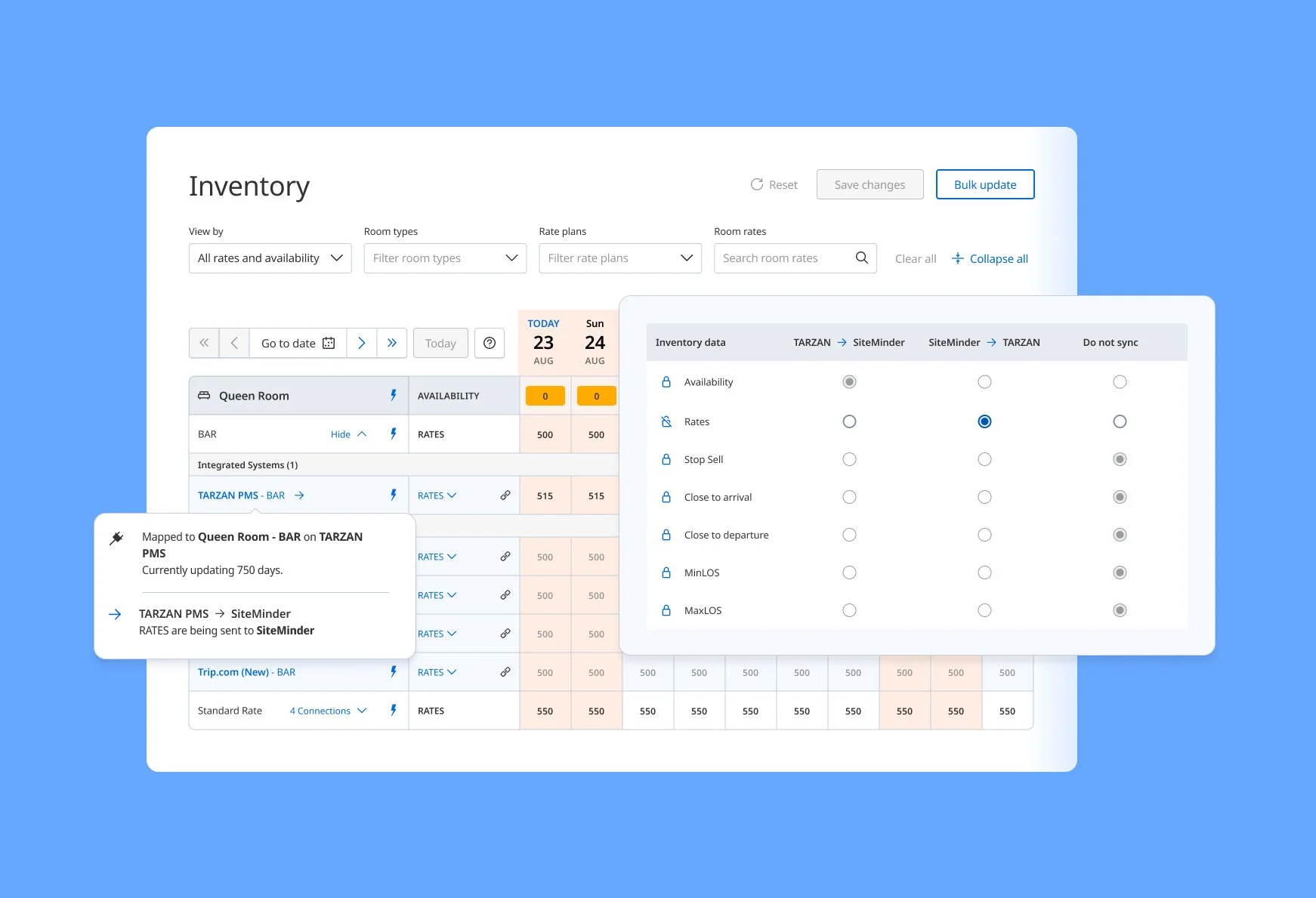
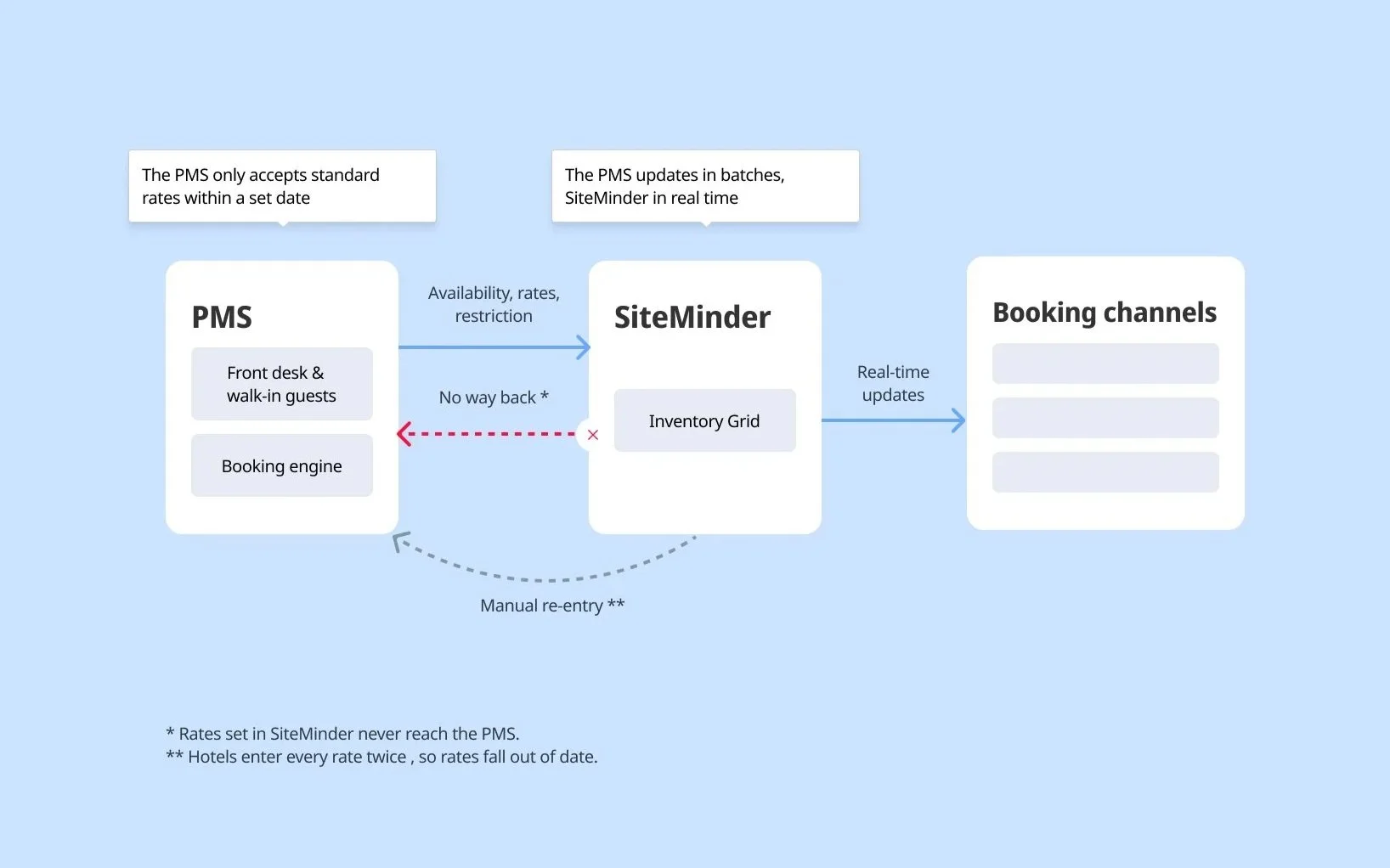
Hotels run on two systems. The PMS (property management system) handles check-ins and front-desk work. SiteMinder sends rates and availability out to booking channels.
Some hotels set their prices in the PMS. Others prefer setting them in SiteMinder, but still need the PMS to have them for walk-in guests and any booking engine connected to it. Data only flowed one way, so those hotels had to enter rates twice.
Role
UX and Product Design Lead
Company
SiteMinder, a hotel commerce platform
Team
PM, PO, Product Designer, Integration Lead, Engineering Teams
Timeline
December 2024 to August 2026, shipped in three releases
Shared with permission. Customer and partner details have been removed.
The Challenge
Many hotels keep their room rates and booking rules in their PMS. Some hotels also prefer to manage rates in SiteMinder but still need the PMS to have them, for walk-in guests and for any booking engine connected to it.
For hotels: Rates had to be entered twice, so they could fall out of date. SiteMinder is meant to update almost in real time, and this broke that expectation.
For the business: Without a way to send rates back, SiteMinder could not become the single place hotels manage their rates.
Who It Was For
Hotels that manage rates in SiteMinder.
They want every rate they set to reach the PMS.Hotels that still use the PMS for some data.
They need to choose which data comes from where.Support staff.
They need to see what was sent and why something failed.
SOLUTIONS
Choosing who's in charge of each type of data
Hotels set the direction for each data type in Inventory Settings, right next to the data it affects.
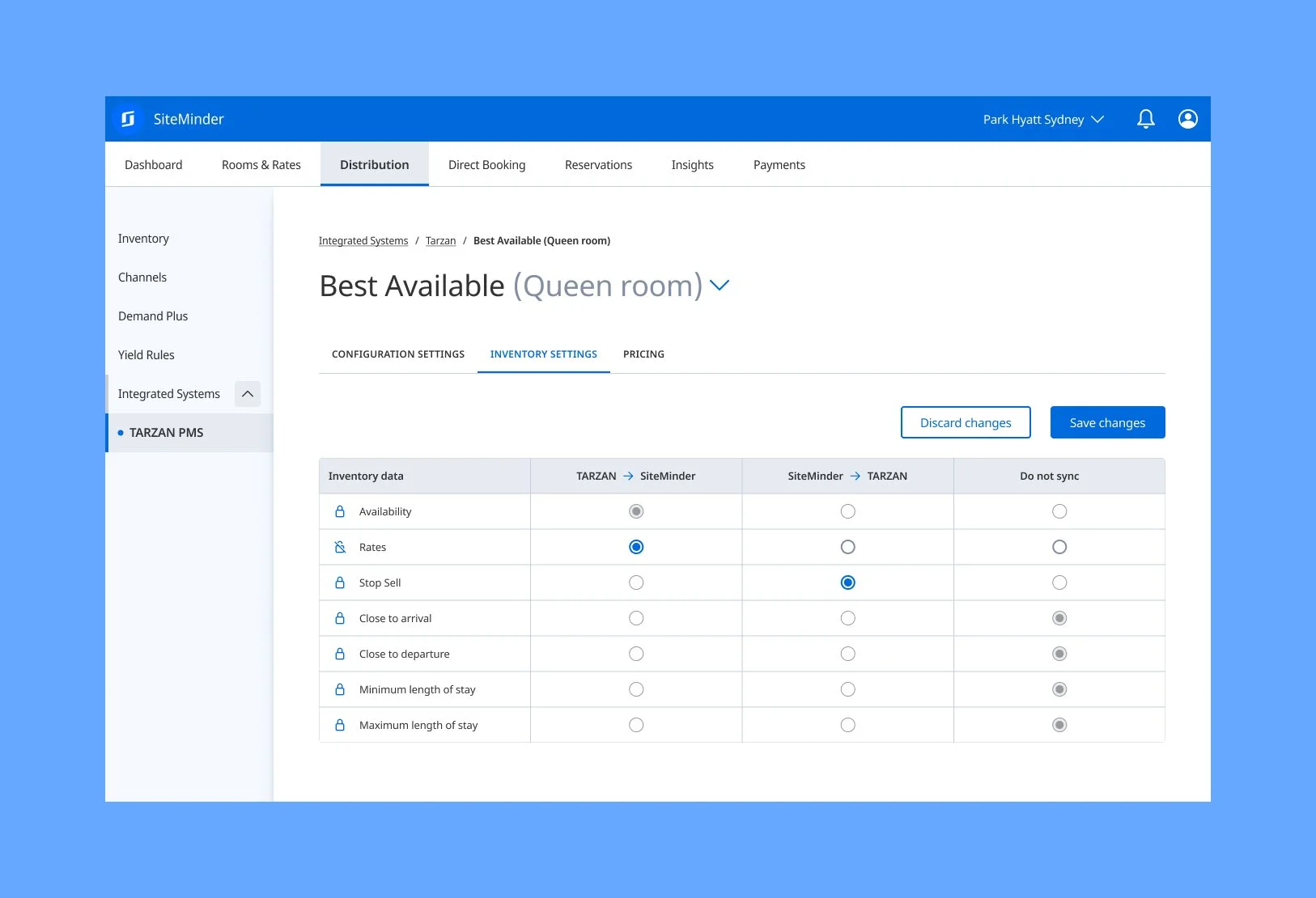
Why: A single on/off switch would hide mixed setups, like a hotel that gets availability from its PMS but sends rates from SiteMinder. Setting the direction per data type handles that.
Showing what's synced in the Inventory Grid
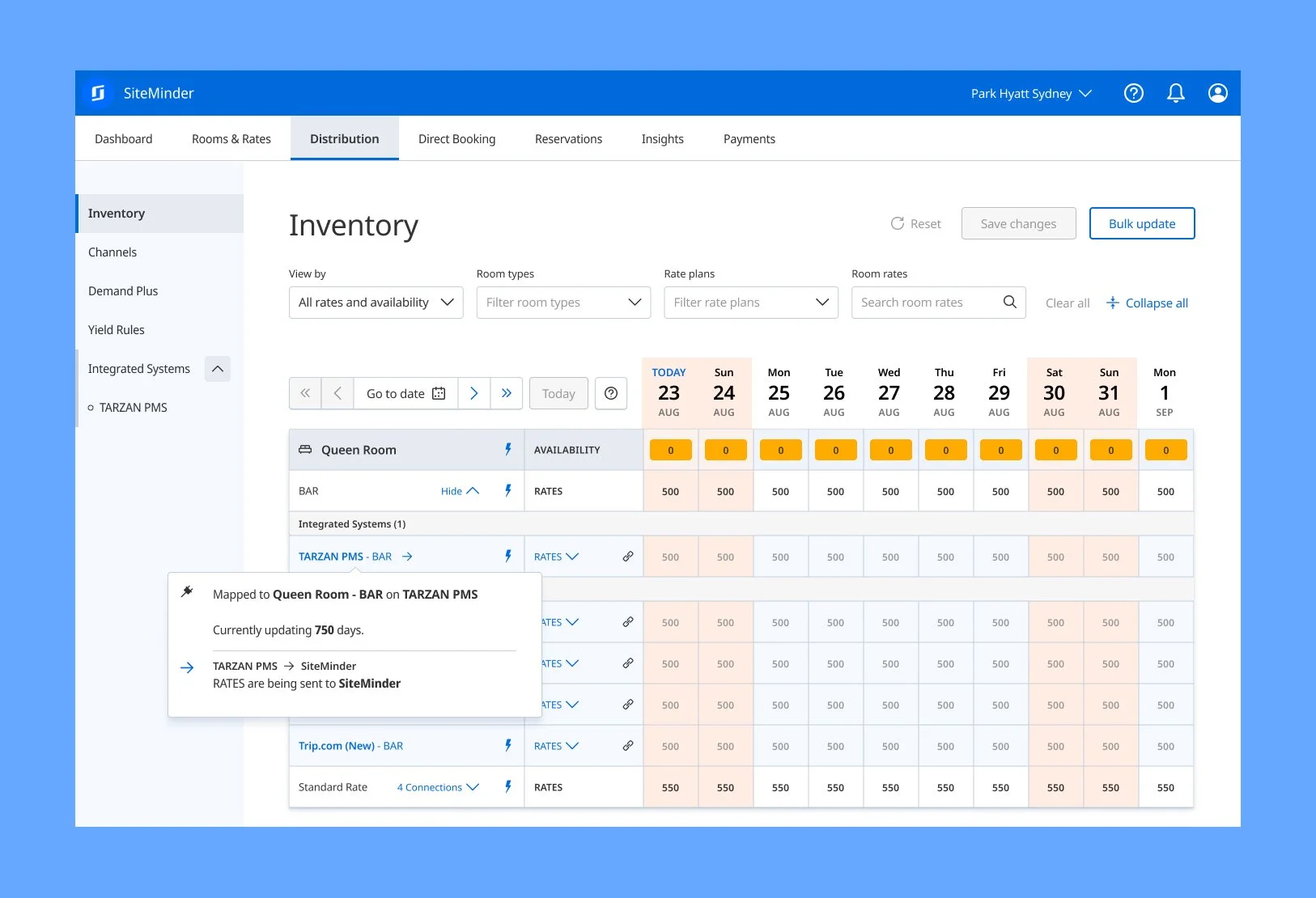
Synced rates show up in the Inventory Grid next to the matching room rates, with indicators for whether each rate syncs to SiteMinder, from SiteMinder, or is off.
We also designed for the cases the grid has to explain:
A PMS that accepts rates but not every restriction
A PMS that can't accept rates because it calculates prices itself
Settings that can't be changed because the rate is derived from another one
Trade-offs and Decisions
The widget captured and directed after-hours inquiries, ensuring no leads were lost.
Flexibility vs. simplicity. Per-data-type controls are more to look at than a single toggle. We kept them in one table with three clear choices per row, so mixed setups are possible without turning settings into a puzzle.
New engine, familiar screens. The sync works very differently under the hood, but hotels never had to learn that. We reused the patterns they already knew from channel settings, so there was nothing new to train.
Explain limits vs. hide them. When the PMS can't accept a rate or a setting is locked because the rate is derived, we show it as disabled with the reason, instead of removing the option. Hidden options cause more support tickets than greyed-out ones with a reason.

In interviews, a pilot hotel's general manager said: "The standout benefits for me are the time savings, the accessibility, and how easy it is to use compared to what we had before."
How it shipped
Release 1 (30 March 2026): Rates to one enterprise PMS partner, starting with a single pilot hotel. Hotels got a heads-up on 24 March.
Release 2: A shared connection, so other PMS partners that follow the published rules can send rates too. Only manual rates with no missing data are eligible.
Release 3 (17 August 2026): Sync indicators in the Inventory Grid, plus a pricing tab in room rate settings.
Impact
The pilot went live. Issues came up early and were fixed before the wider release.
Rate sync rolled out to hotels across multiple hotel groups, and it's available to customers in EMEA and APAC.
Connection rules were published, so more PMS partners can plug in without custom work.
Pilot hotels pointed to time savings and how much easier it was than what they had before.
What I Learned
Letting each hotel choose who's in charge of each data type kept a complicated setup easy to understand.
Releasing in stages kept the first version small enough to ship.
Piloting with one hotel found problems while they were still cheap to fix.